

Free construction safety corrective action notice.
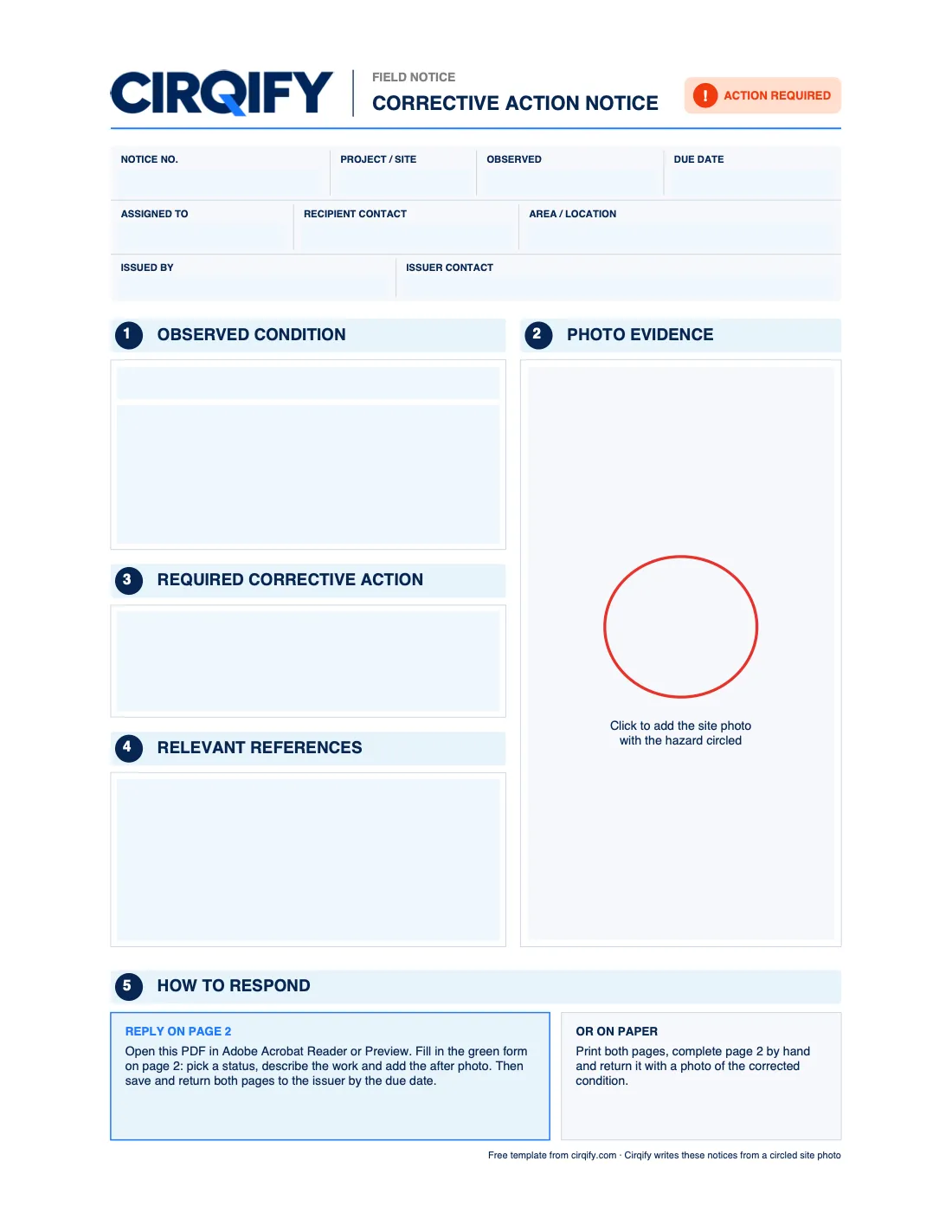
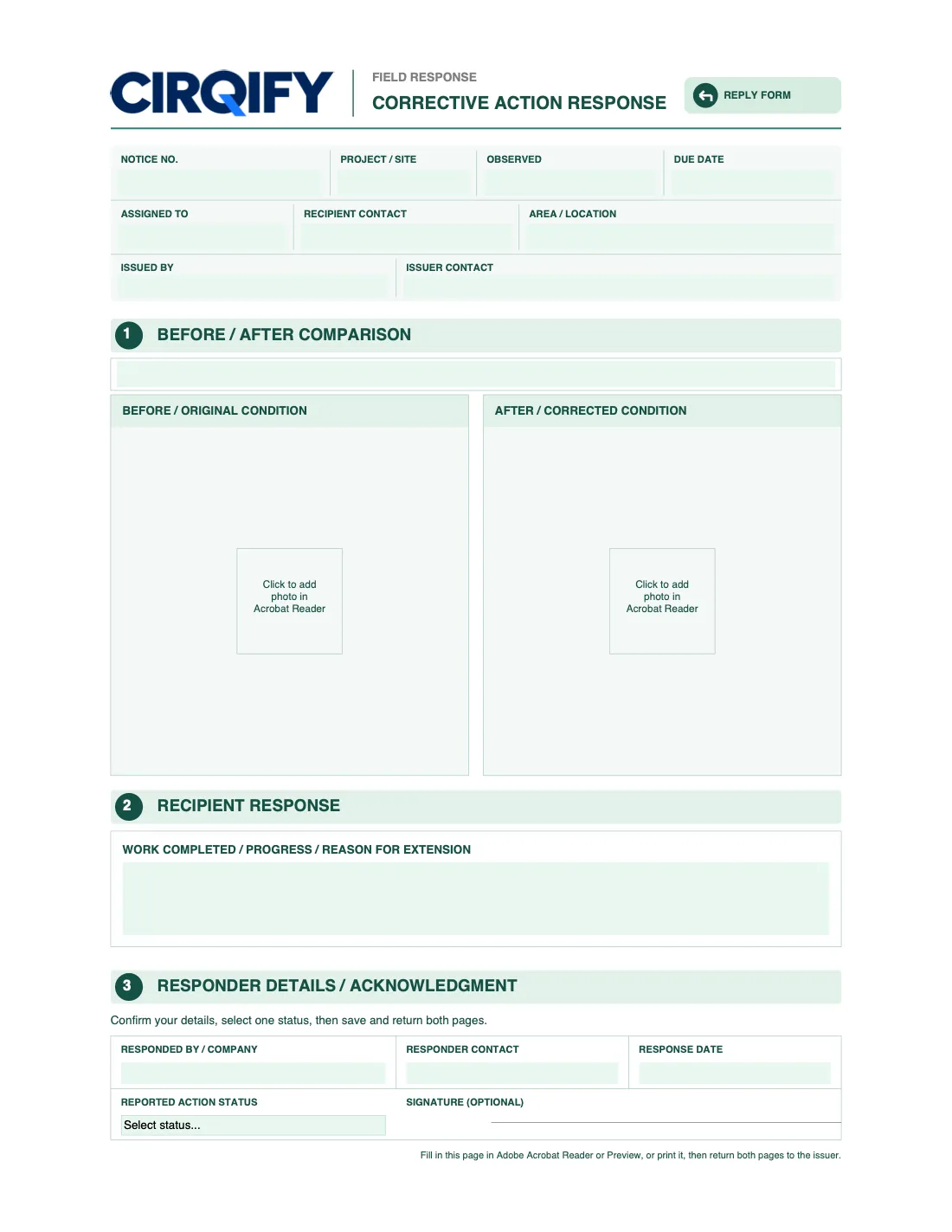
A free, fillable two-page corrective action notice for construction safety: page 1 records one hazard with the observed condition, photo, required action, references and due date; page 2 is the reply form your subcontractor completes with a status, notes and an after photo.
Download the fillable PDFUS Letter · 2 pages · 97 KB · no sign-up
See a completed example before you start
This template is for a jobsite safety observation and its corrective response. It is not an employee disciplinary warning or a general HR performance form.
Read the filled rebar notice example, including the subcontractor reply and closeout check. The example is clearly marked as fictional and shows which facts still need verification.
What’s in it
| Section | What to put there |
|---|---|
| Notice details | Notice number, project, when you observed it, due date, who it’s assigned to, their contact, the exact area, and who issued it. |
| 1 · Observed condition | A short title for the hazard, then what you saw, not a conclusion. “Worker visible beside an open slab edge; no guardrail visible in this view. Verify the fall height and protection on site.” |
| 2 · Photo evidence | The site photo with the hazard circled. In Adobe Acrobat Reader, click the photo box to add it. |
| 3 · Required corrective action | What must change, specific enough to act on and check. |
| 4 · Relevant references | The provision it may fall under, such as 29 CFR 1926.501(b)(1), with its official text. Our OSHA standards guides have the text to copy. |
| 5 · How to respond | Already filled in: the recipient completes page 2 in Acrobat Reader or Preview, or on paper. |
| Page 2 · Reply form | Before and after photos, what was done, the responder’s details and a status: completed, in progress, not completed or extension requested. |
The notice details on page 2 fill in automatically from page 1, so you type them once.
How to use it
- Open the PDF in Adobe Acrobat Reader (free) and fill in page 1. Preview on a Mac fills the text but can’t add photos to the boxes.
- Add the circled photo, then save a copy for each hazard. One hazard per notice keeps one owner, one fix and one due date.
- Send it to the responsible company. They fill in page 2, add an after photo and send both pages back.
- Check the fix on site before you close it. A reply alone isn’t verification.
For what makes a notice clear, see how to write a corrective action notice.
Or let Cirqify fill it in
This template uses the same layout as the notices Cirqify creates. In the app, you circle the hazard in your photo and Cirqify writes the observed condition, corrective action and suggested OSHA and state references, with official text, for you to review. Replies come back into the app and land on the right issue, and you can track each one to a verified fix.
This template is an internal corrective action record. It is not an OSHA citation, penalty or legal determination.